

Who isn't following YOU back? 🤔
The SAFEST way to check who isn't following you back. It's FREE!
Working on it...
How do I get my ZIP file?
How do I get my ZIP file?
✅ No Login Required
Your social media account credentials stay safe — this extension works right inside your browser, no accounts or passwords needed.
✅ 100% Secure & Private
All processing happens locally on your computer. Nothing is sent to external servers.
✅ Safe & Non-Suspicious
Unlike other tools, this extension doesn’t automate actions or spam. It simply compares your followers and following lists.
Other tools cause this... 😬
(which defeats the purpose)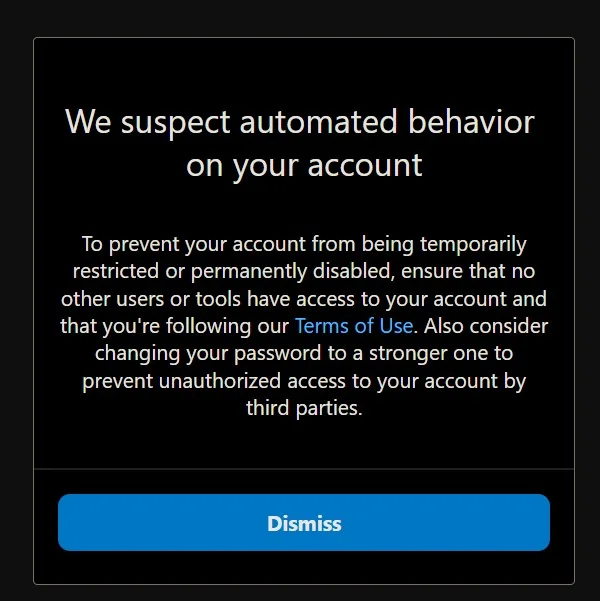
How it works
(Get your ZIP)
(Get your ZIP)
1/14
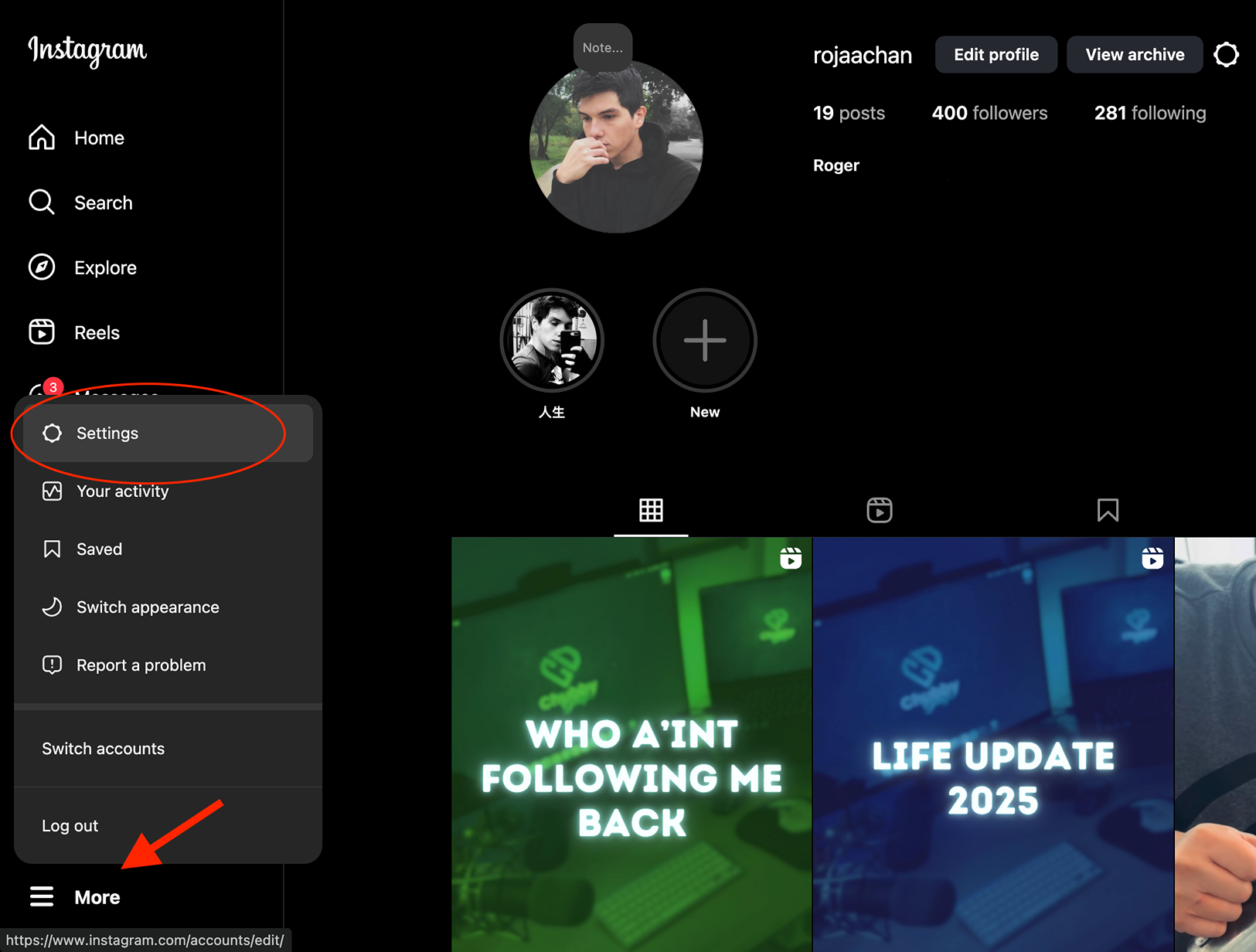
Click on "More" and go to your account settings
2/14
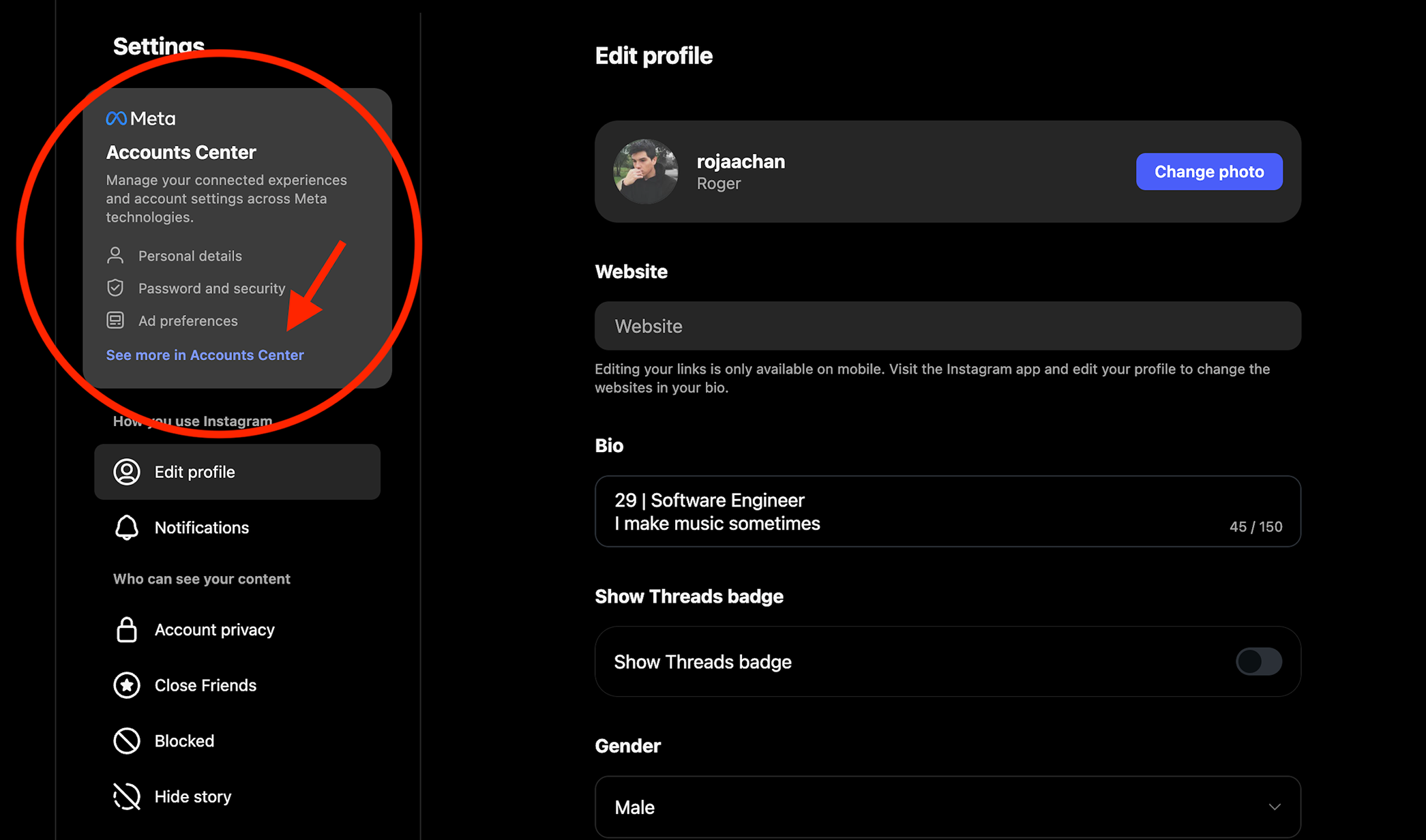
Go to the Accounts Center and click on "See more in Accounts Center"
3/14
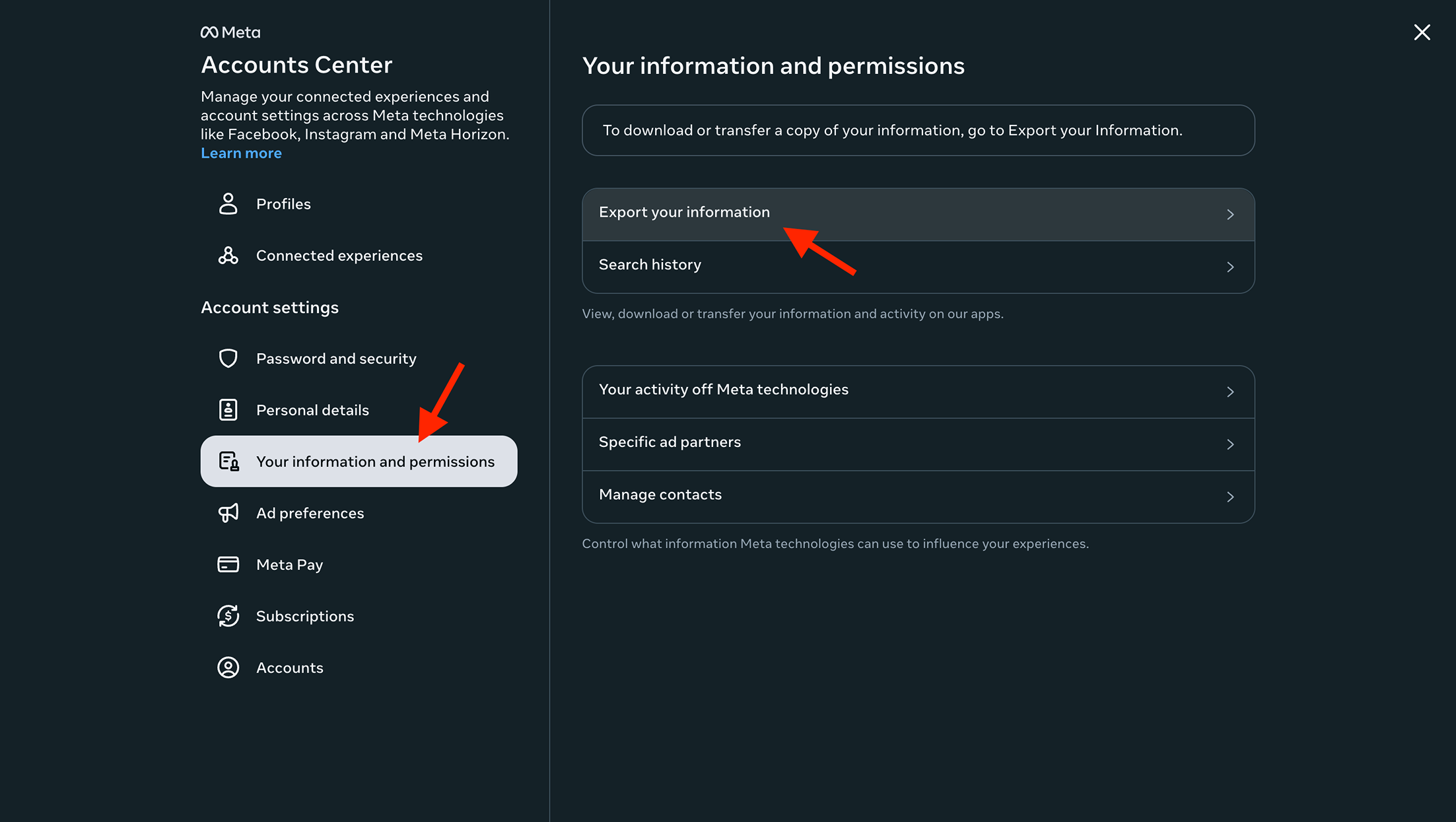
Go to "Your information and permissions" tab and then click "Export your information"
4/14
Click on "Create export"
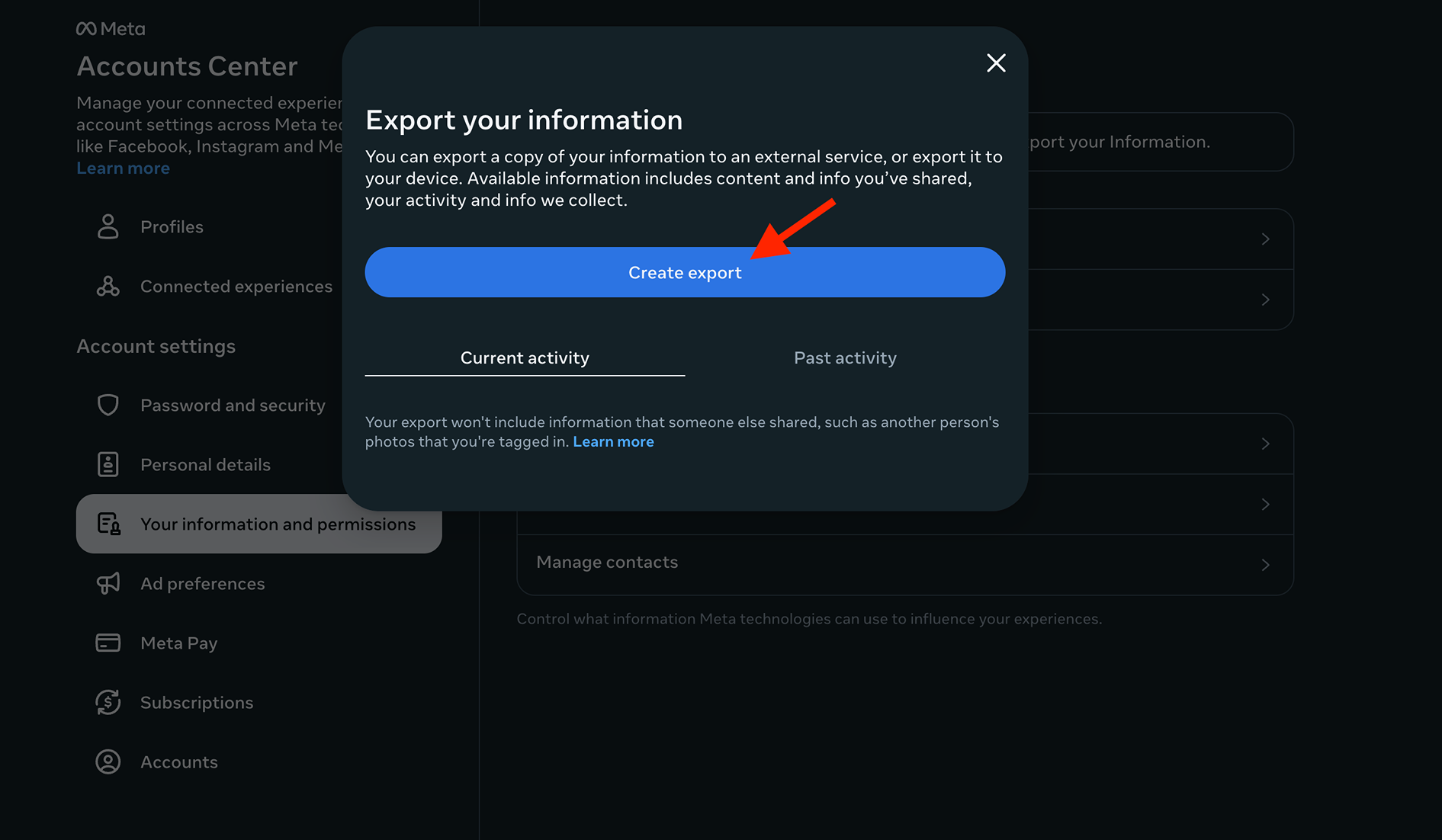
5/14
Click on "Export to device"
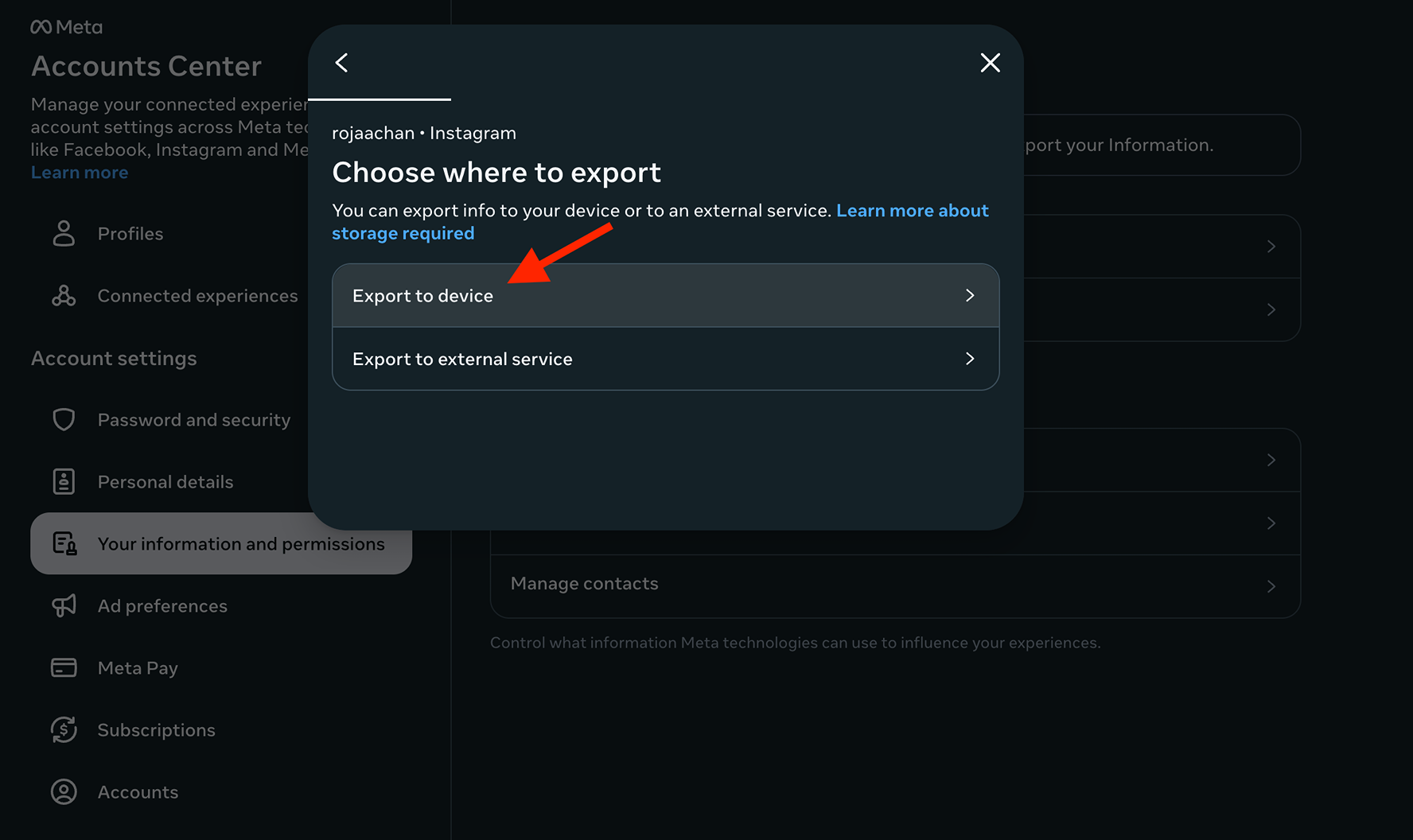
6/14
We need to change 3 settings here. "Customize information", "Date range", and "Format". Click on "Cuzstomize information" first
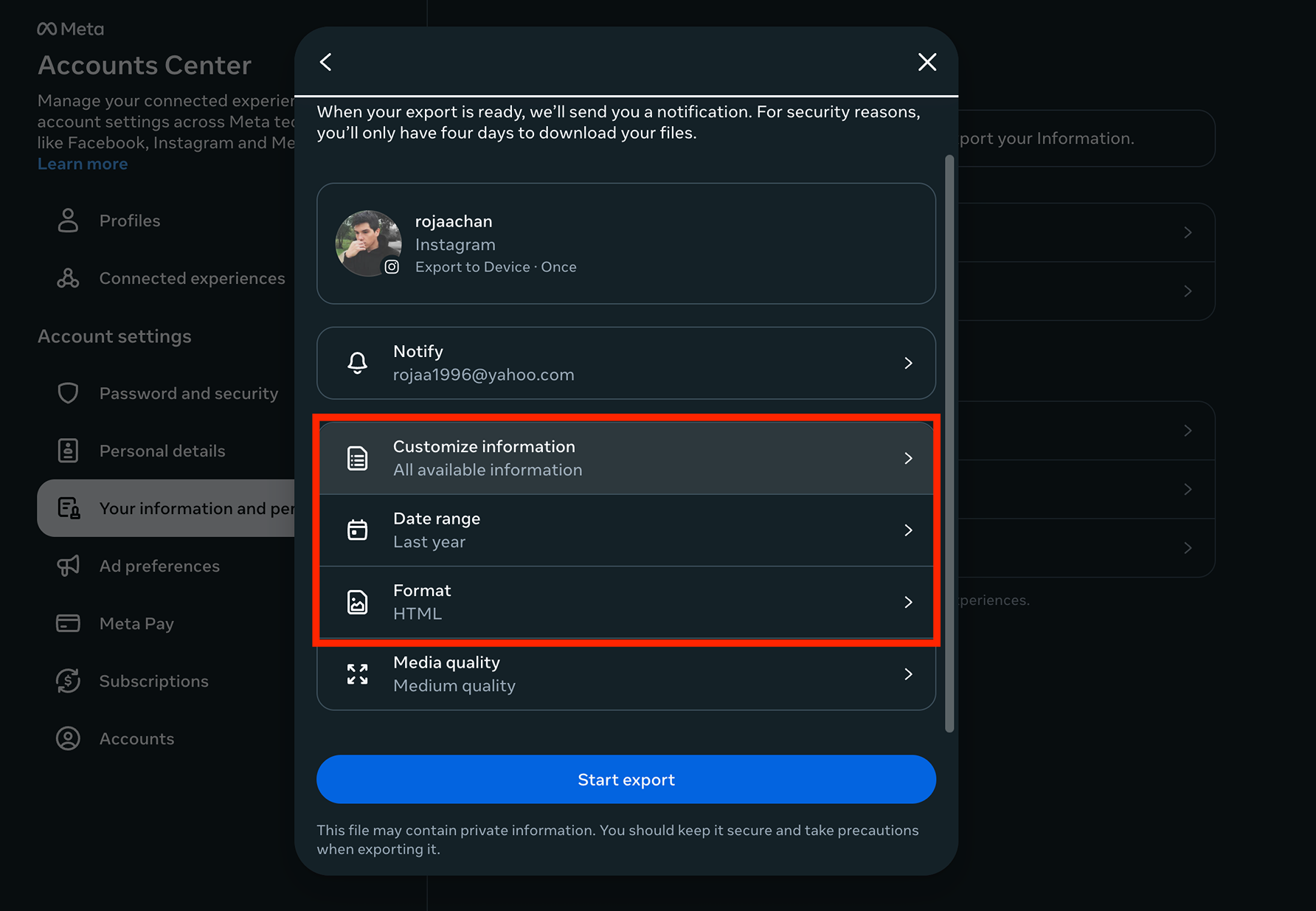
7/14
Click "Clear all" for everything
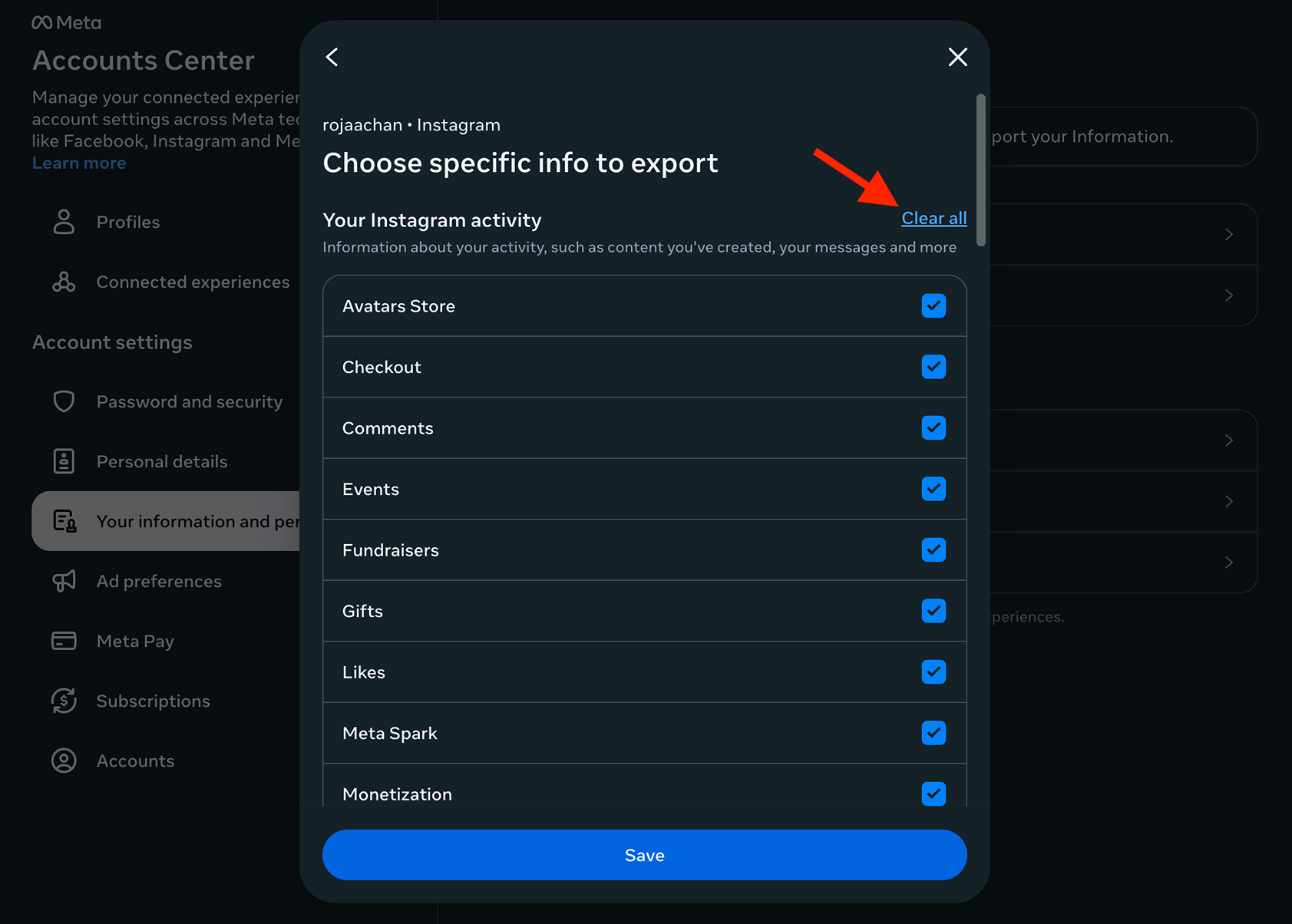
8/14
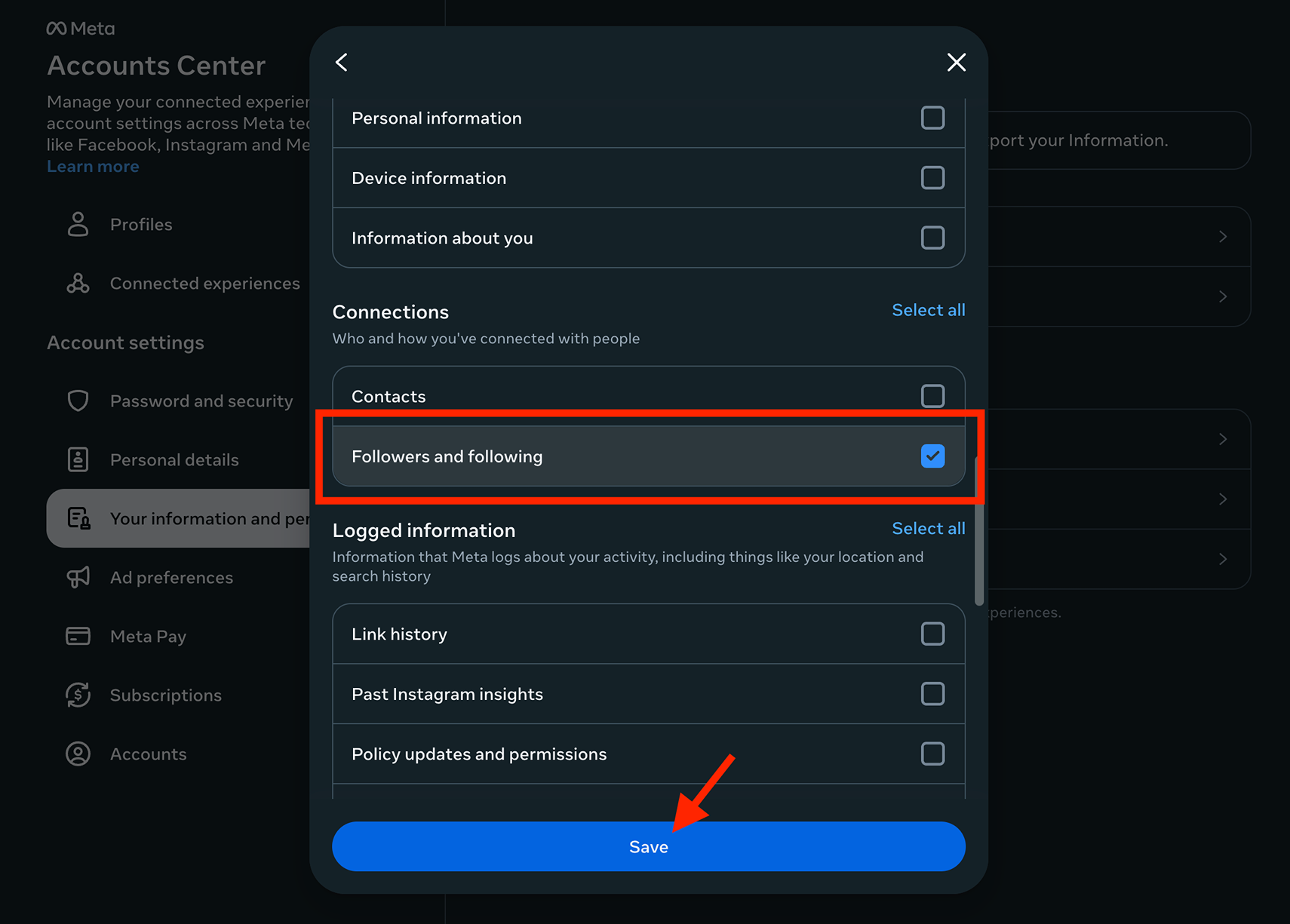
Only check "Followers and following" and then click "Save"
9/14
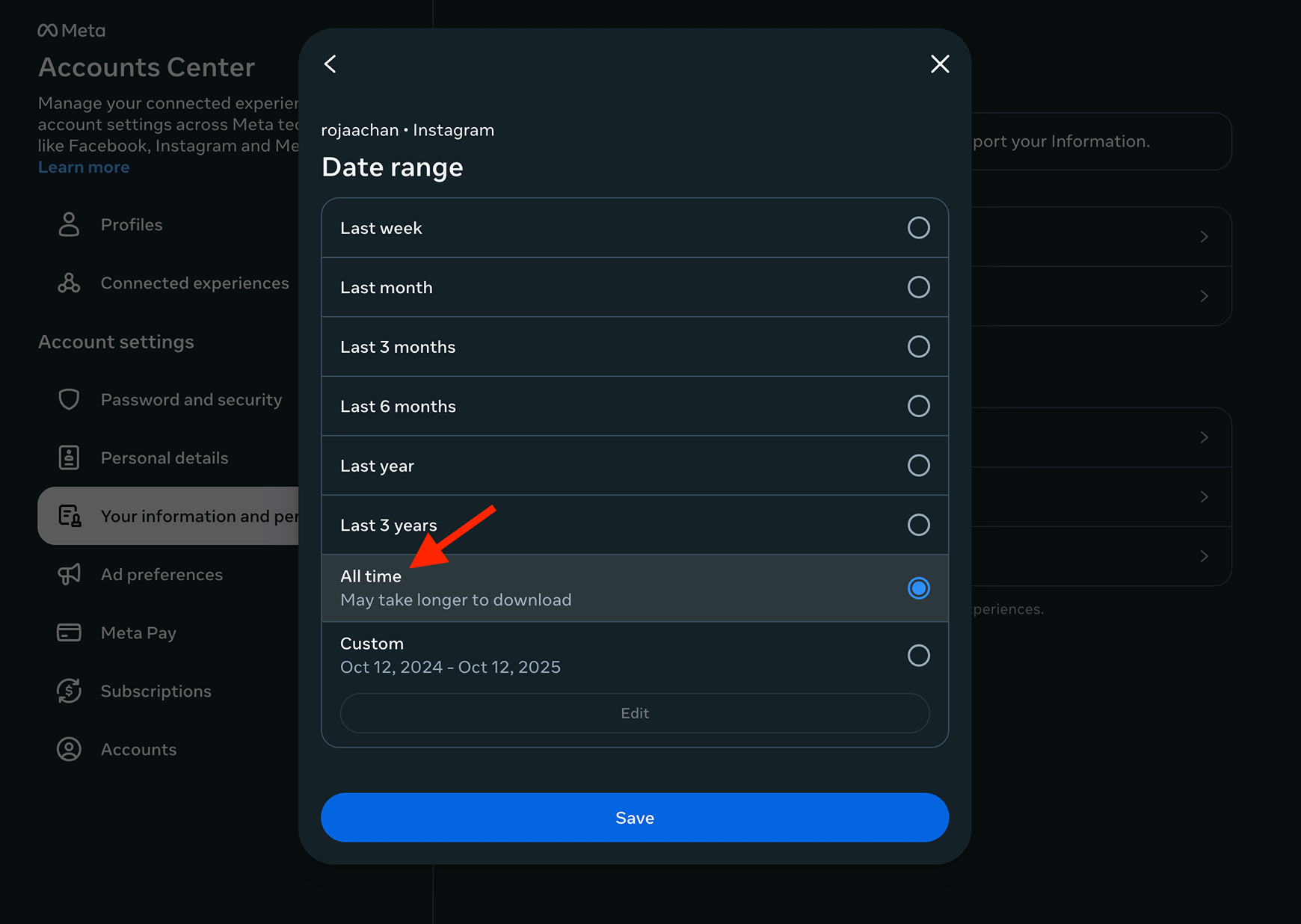
For the "Date range", click "All time" and then click "Save"
10/14
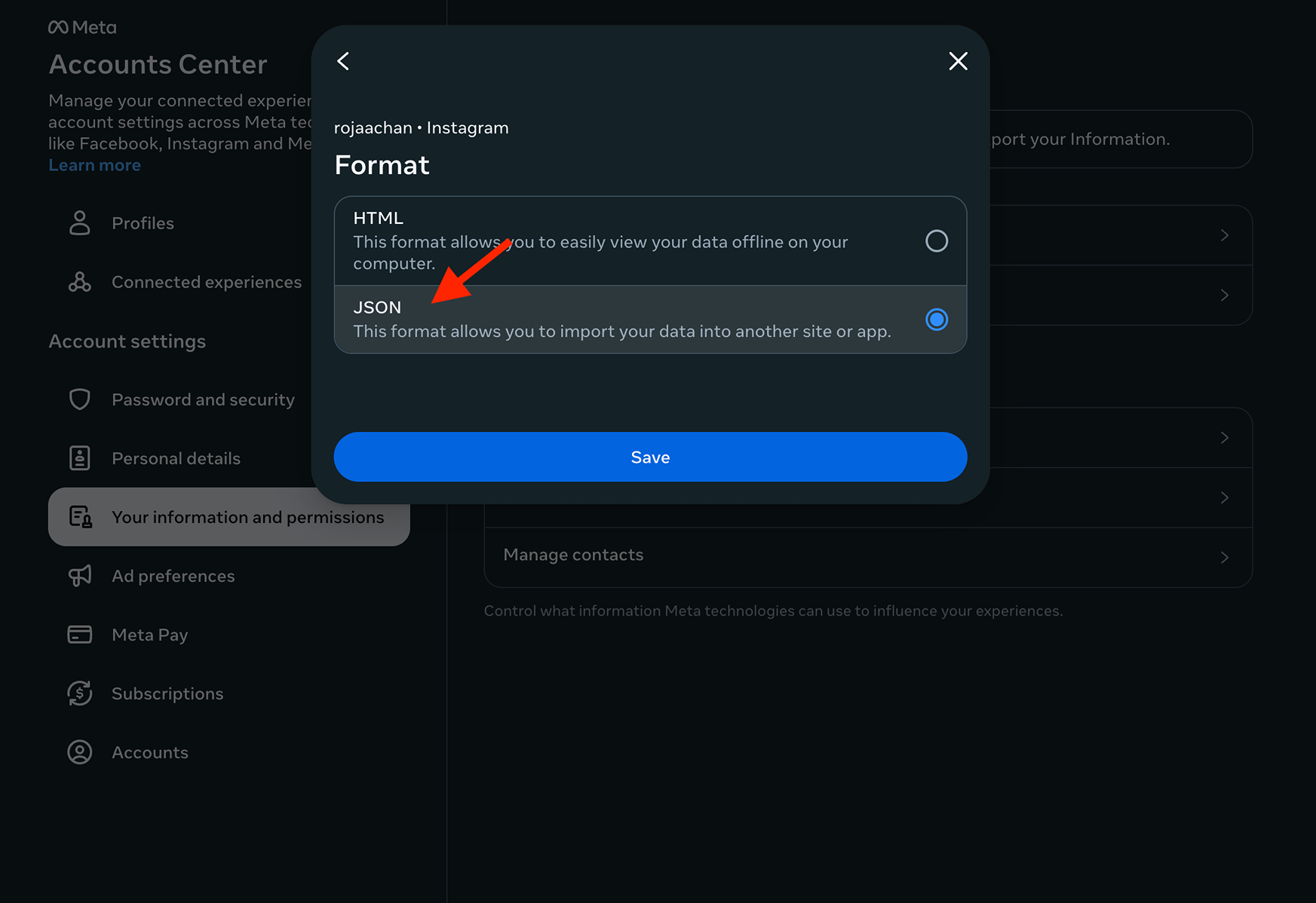
For the "Format", click JSON and then click "Save" (this is important)
11/14
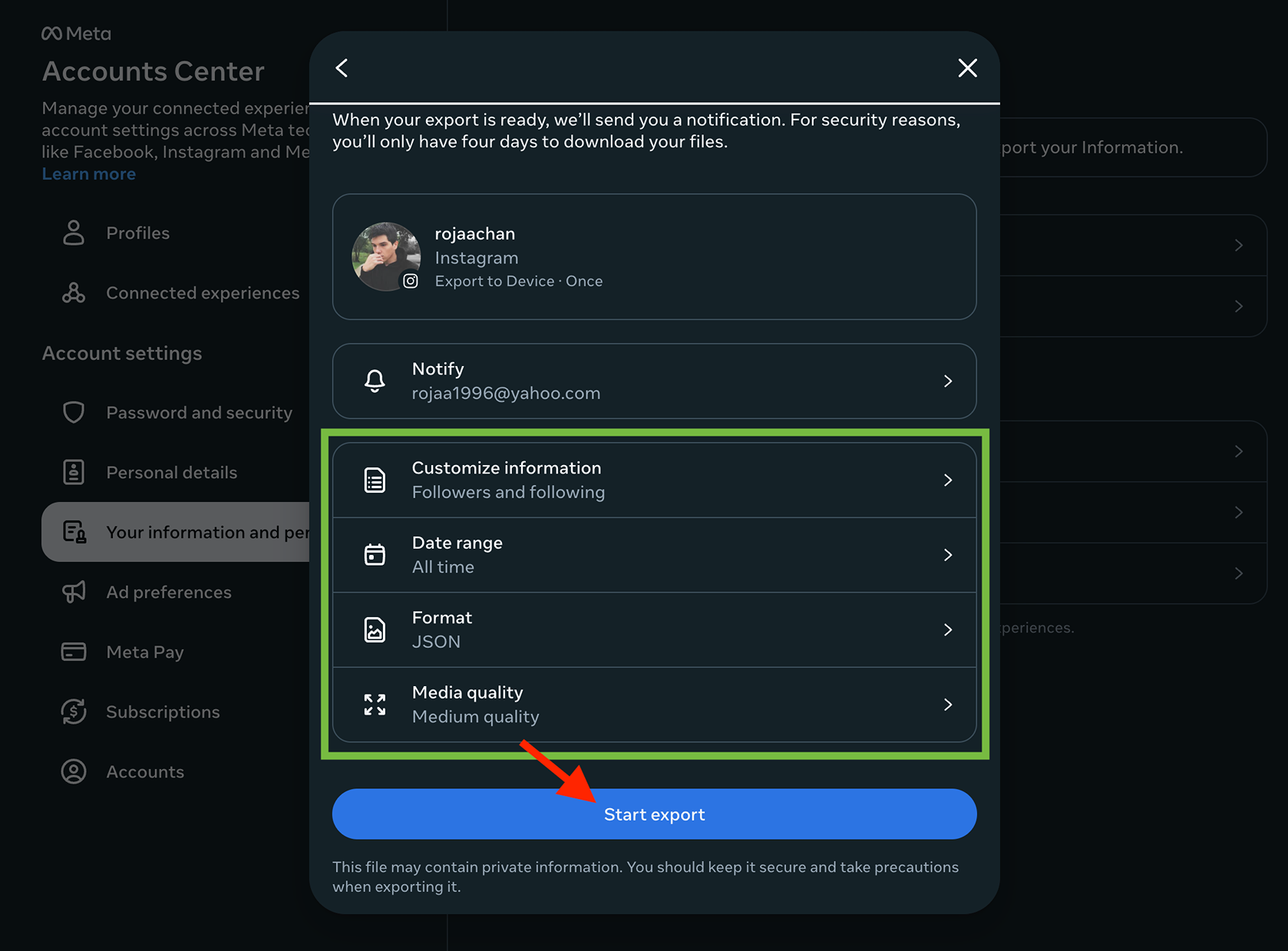
Your settings should look like this and then click "Start export"
12/14
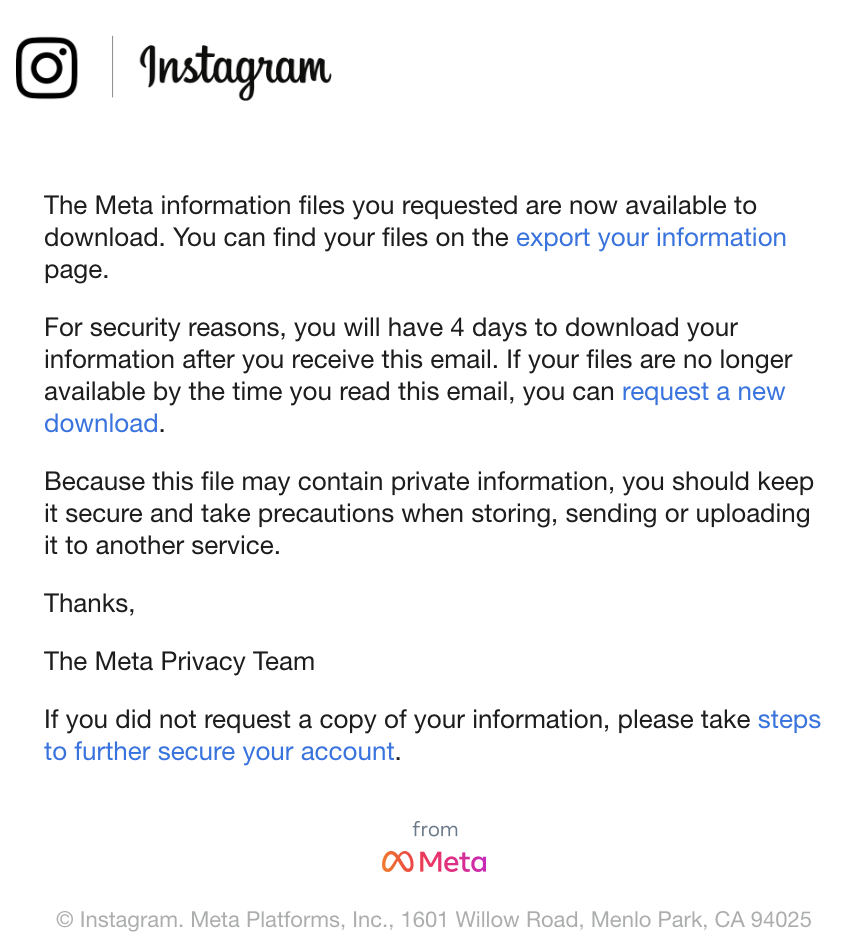
Within a few minutes or an hour you should get an email that looks like this. Click on "export your information"
13/14
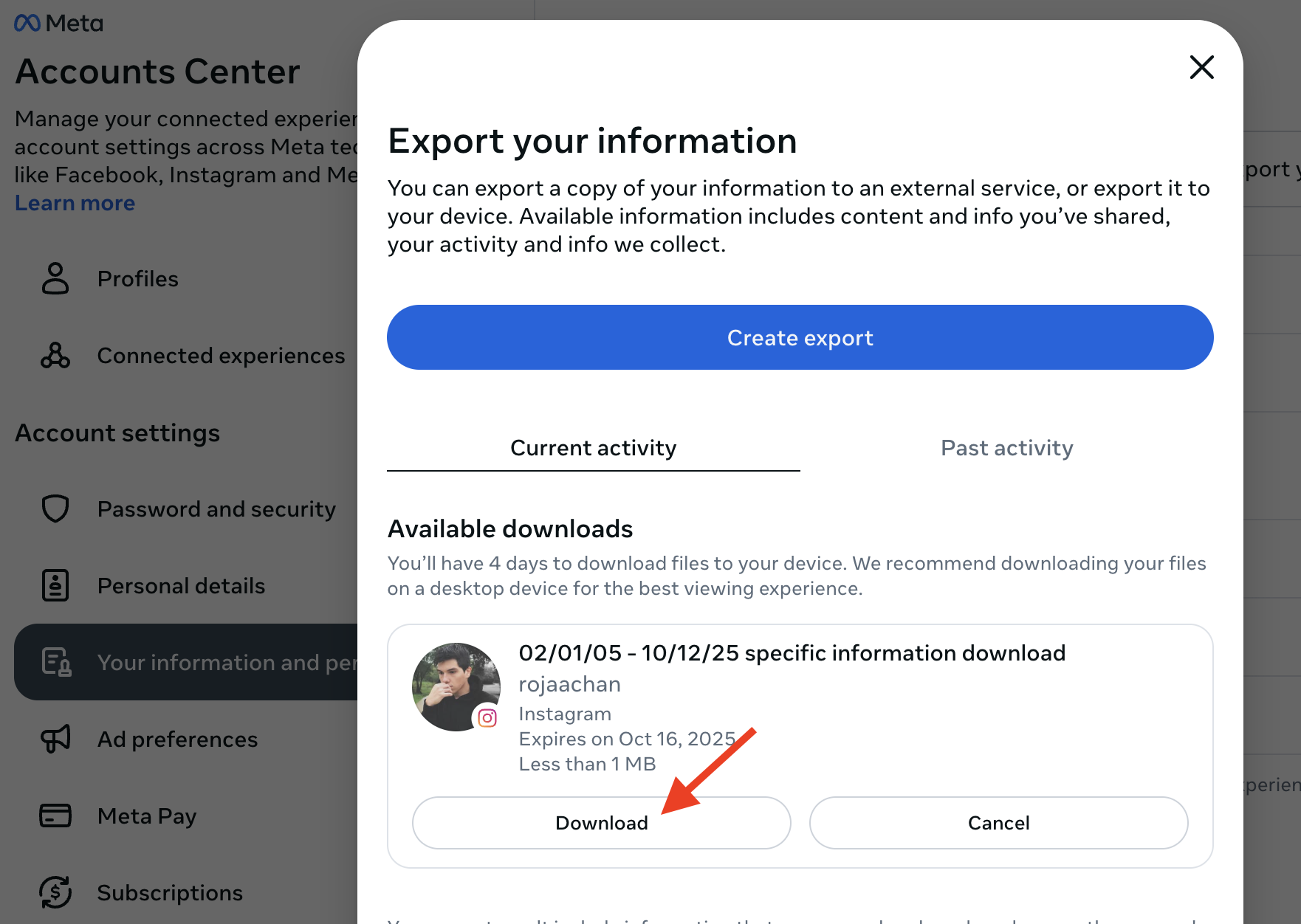
Download your ZIP
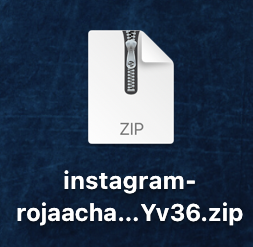
14/14
Upload this file above and see who isn't following you back!
1/13
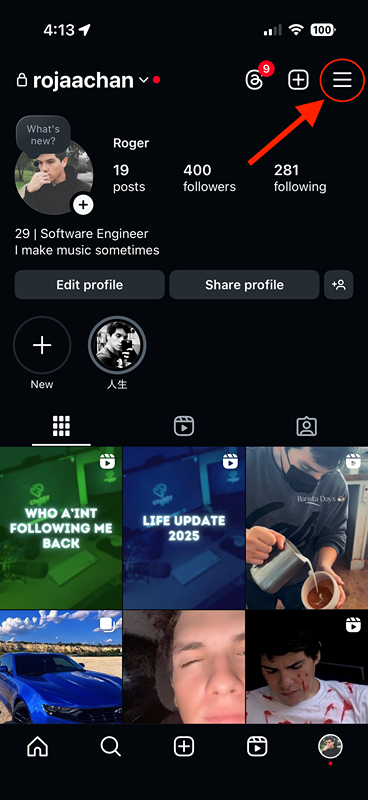
Tap on the account settings icon in the top right corner
2/13
Tap on the Accounts Center
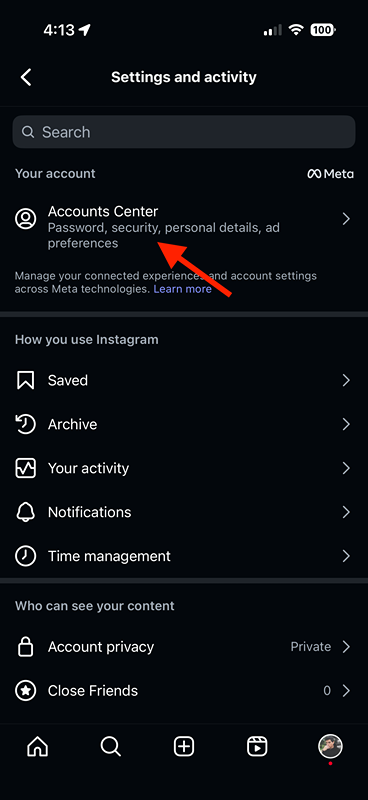
3/13
Tap on "Your information and permissions"
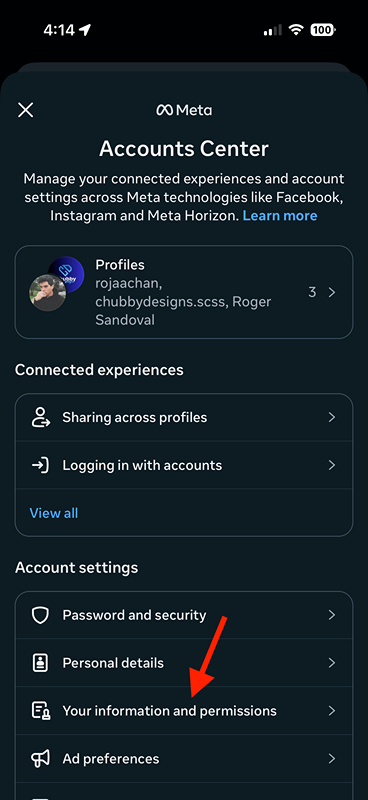
4/13
Tap on "Export your information"
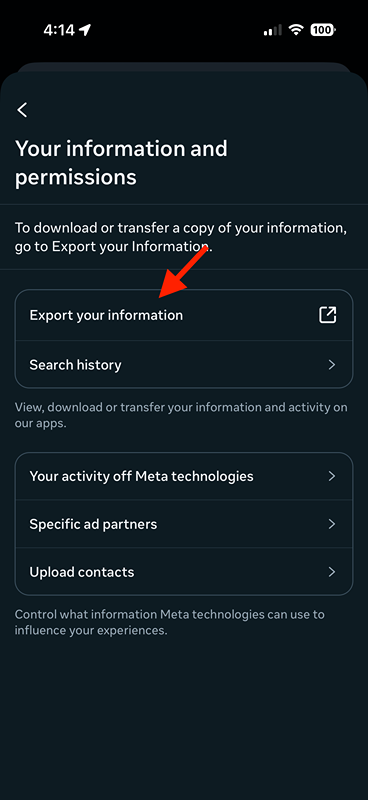
5/13
Create an export
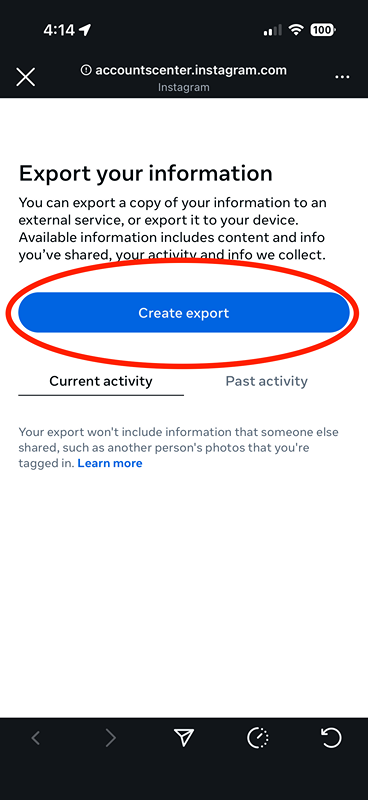
6/13
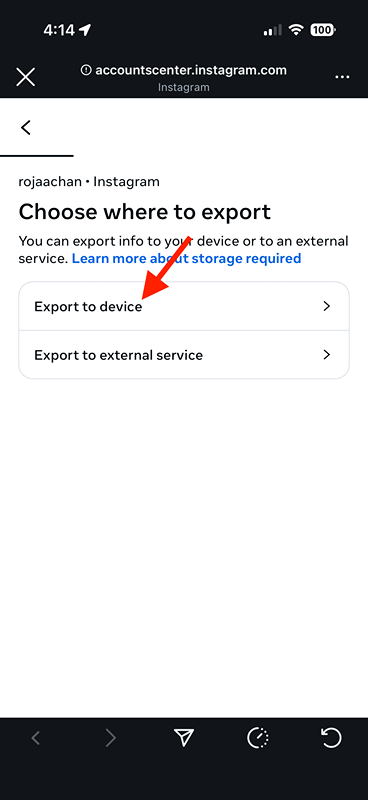
Tap on "Export to device"
7/13
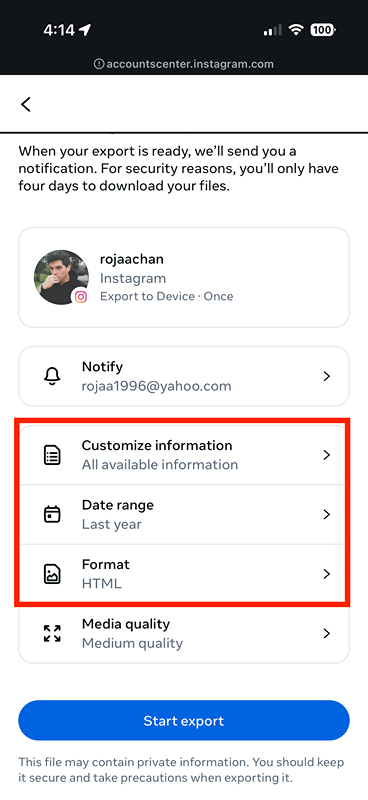
We are going to change these 3 settings. Start with "Customize information"
8/13
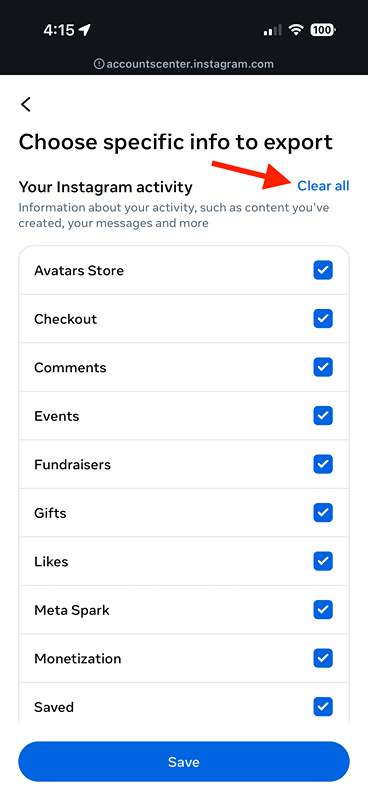
Clear all the checkmarks
9/13
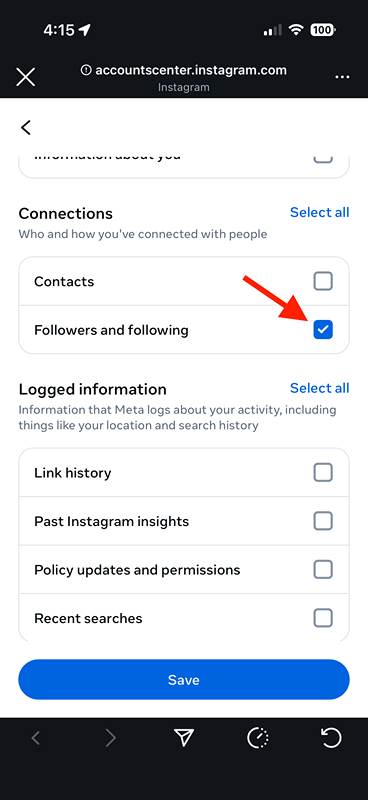
Only check "Followers and following"
10/13
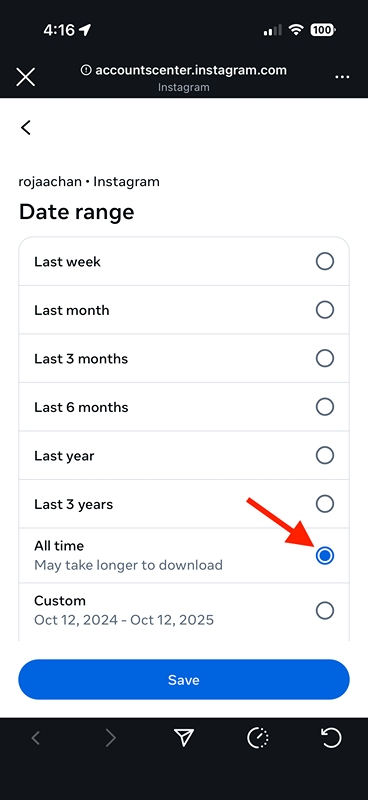
For the "Date range" setting, select "All time"
11/13
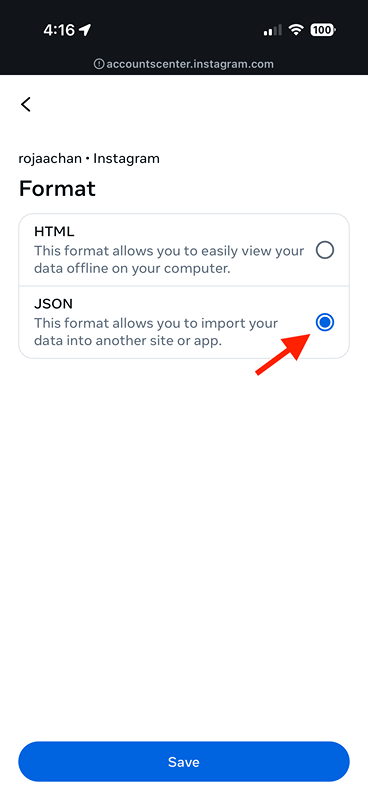
For the "Format", select JSON (super important)
12/13
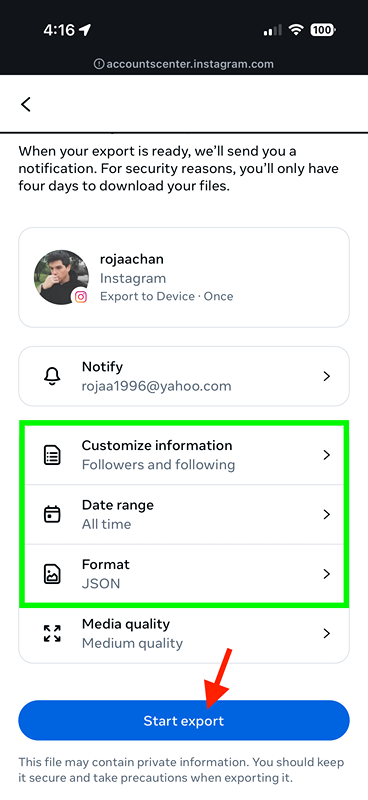
Your settings should look like this. Tap on "Start export"
13/13
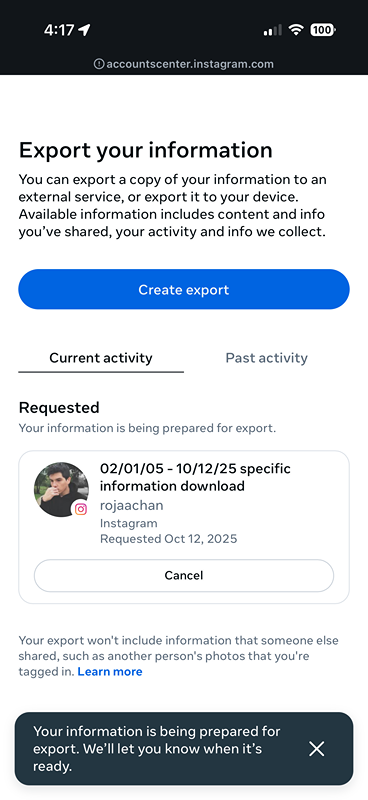
Simply lookout for an email in a few minutes or an hour and then download your ZIP
(swipe left/right to navigate)